Keep what already works
If a tool an employee built with ChatGPT or no-code is enough, we leave it alone. Cleanup and guidance only.

From employee-built tools to company systems
Employees build their own tools with ChatGPT and no-code now. The problem starts when those tools carry real work.
The first consult is free. Deeper workflow analysis moves to paid consulting.
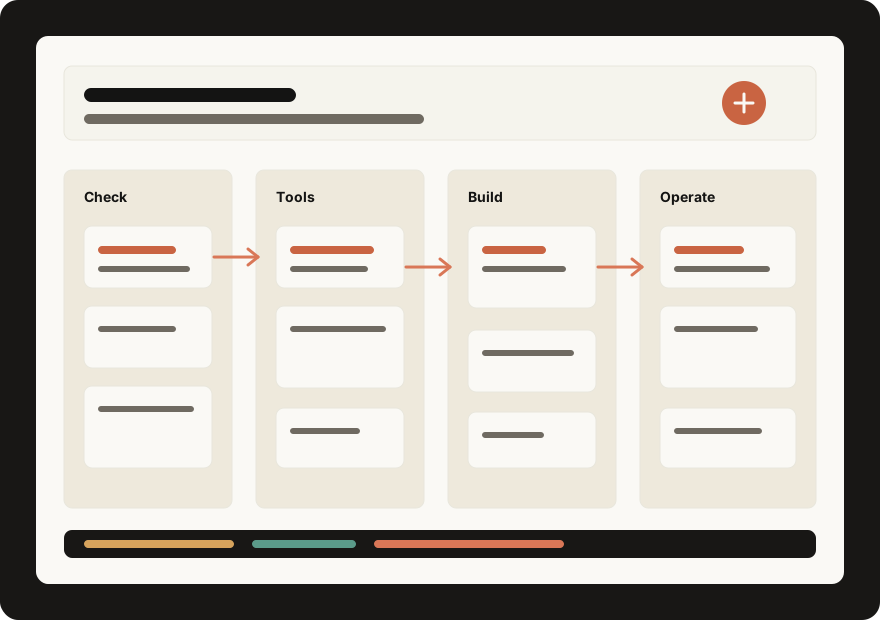
Why now
An employee-built tool belongs to its maker. It stops when they leave, and it becomes a risk once customer data flows in. Team-wide use needs approval, permissions, and records.
Why pay for this
Building already happens in-house. What stalls is security, permissions, records, maintenance, and team adoption.
If a tool an employee built with ChatGPT or no-code is enough, we leave it alone. Cleanup and guidance only.
Approval gates, permissions and audit logs, owners and status tracking — the parts personal tools never have.
A tool that stops when its maker leaves becomes a system with records and handoff.
One first goal: take one tool already in use and make it a system the company trusts.
Free consult
We look at the tools you already run and decide fast. Deeper analysis, security review, and design move to paid consulting.
Which tools employees already built and use
Where sensitive data flows in
Where approval, permissions, and records are needed
Which tools depend on one person
What to keep as-is and what to systemize
Why Ignite AX
Nearly 10 years building systems for large companies, public organizations, startups, and factories. That is the bar we use to lift employee-built tools into company systems.
Services
Good employee-built tools stay. The moment approval, permissions, or records are involved, it becomes a system.
Map the tools employees built, the work they carry, and the data risks.
A clear split: keep as-is, clean up, or systemize.
When existing AI tools and automation are enough, we connect and guide. No development budget spent.
A usable workflow without unnecessary software development.
Take one tool already in use and add approval, permissions, and records to make it a team system.
A tool the company trusts, not just the person who built it.
Work involving internal data, customer information, or business secrets becomes a private service.
Sensitive work gets AI help without public-tool copy-paste risk.
AX work examples
Same skeleton every time — AI draft, human approval, execution, record — customized to each company data and security level.
Marketing / SNS
Collects comments and DMs across accounts, drafts replies with AI, and posts only after per-item approval.
For teams answering the same SNS messages all day.
Customer / Billing
Customer, delivery, and settlement work in one screen with owners, status, and history.
For teams running operations on spreadsheets and chat memory.
Admin / ERP
Collects order, invoice, stock, and approval exceptions and routes each with an owner.
For teams managing ERP by screenshots and chasing.
Sales / Support
Extracts fields from documents, drafts replies, and keeps approval history visible.
For teams writing the same reply every day.
Security / Knowledge
Answers policy, product, and pricing questions inside an access-controlled boundary.
For companies that cannot paste internal knowledge into public tools.
Document Search
Indexes product names, specs, brands, and pages from magazine PDFs for instant lookup.
For teams searching products buried inside PDF issues.
Pricing
The free consult checks fit. Deeper work is scoped around company size, security level, and adoption difficulty.
Free 20-Min Consult
SMEs that want to know which of their self-built tools are worth systemizing.
Paid Consulting
Scoped after the free consult around company size, security level, and adoption difficulty.
Process
Choose a tool already in use, or a task that keeps coming back.
Quick fit check. Deeper analysis moves to paid consulting.
Keep as-is, clean up, systemize, or build internal software.
Working screens shared every 2-3 days.
Permissions, logs, and handoff stay with your team.
FAQ
The first short consult. Deeper analysis, design, and planning are paid consulting.
Building is the easy part now. Security, permissions, records, maintenance, and team adoption are what one maker cannot carry alone — that is the only part we sell.
No. Tools that work stay as they are. We add only what is missing.
When customer data, business secrets, or access control make public tools and personal tools too risky.
Usually no. Complex decision rights and cross-team politics stall adoption, so we usually recommend another provider.
SMEs where employee-built tools already carry real work.